
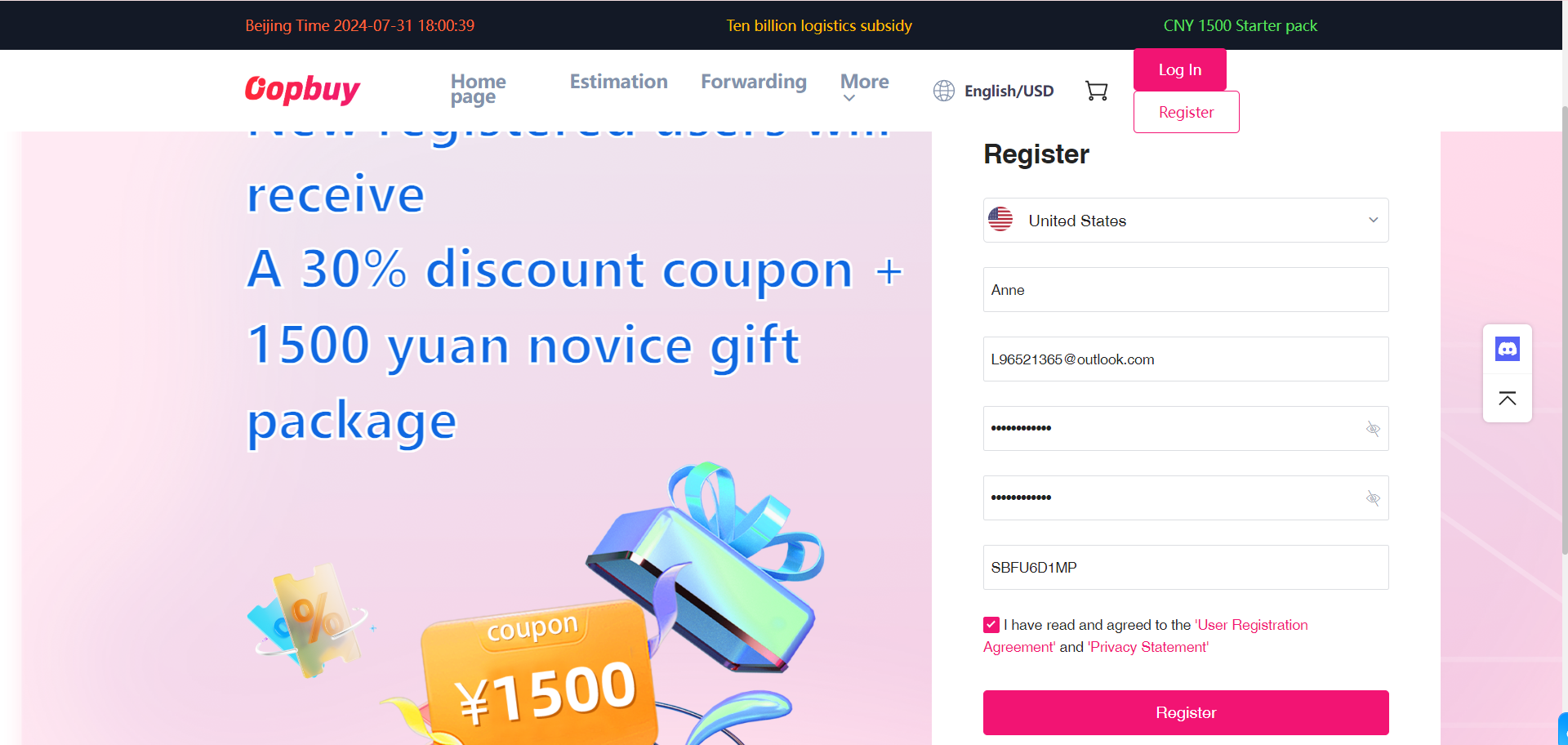
Buying guide
8 steps, from product link to delivery.
Follow the steps below. Check current options and charges in your own Oopbuy account.
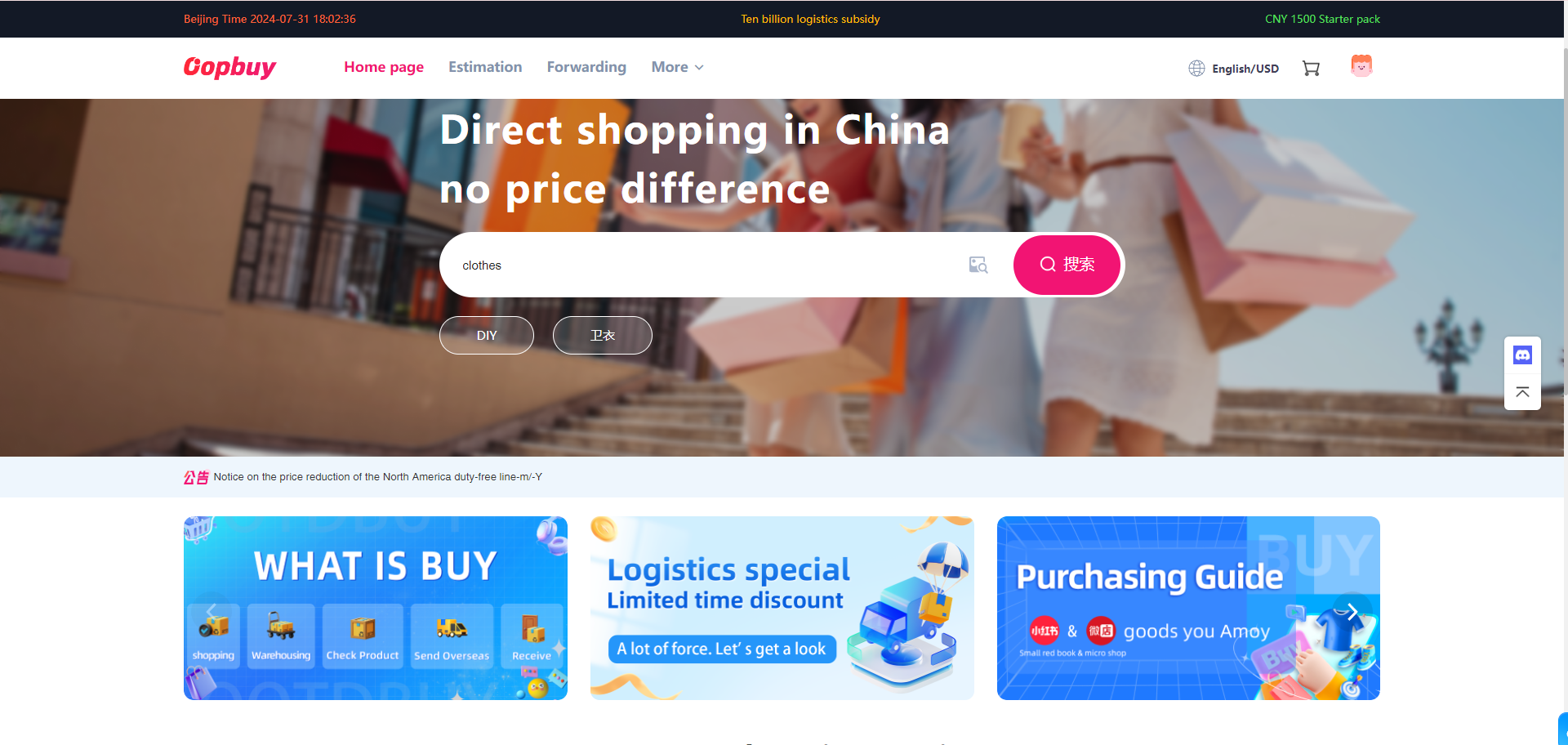
Open a product
Choose a find here, review its detail page, then open the matching Oopbuy listing.
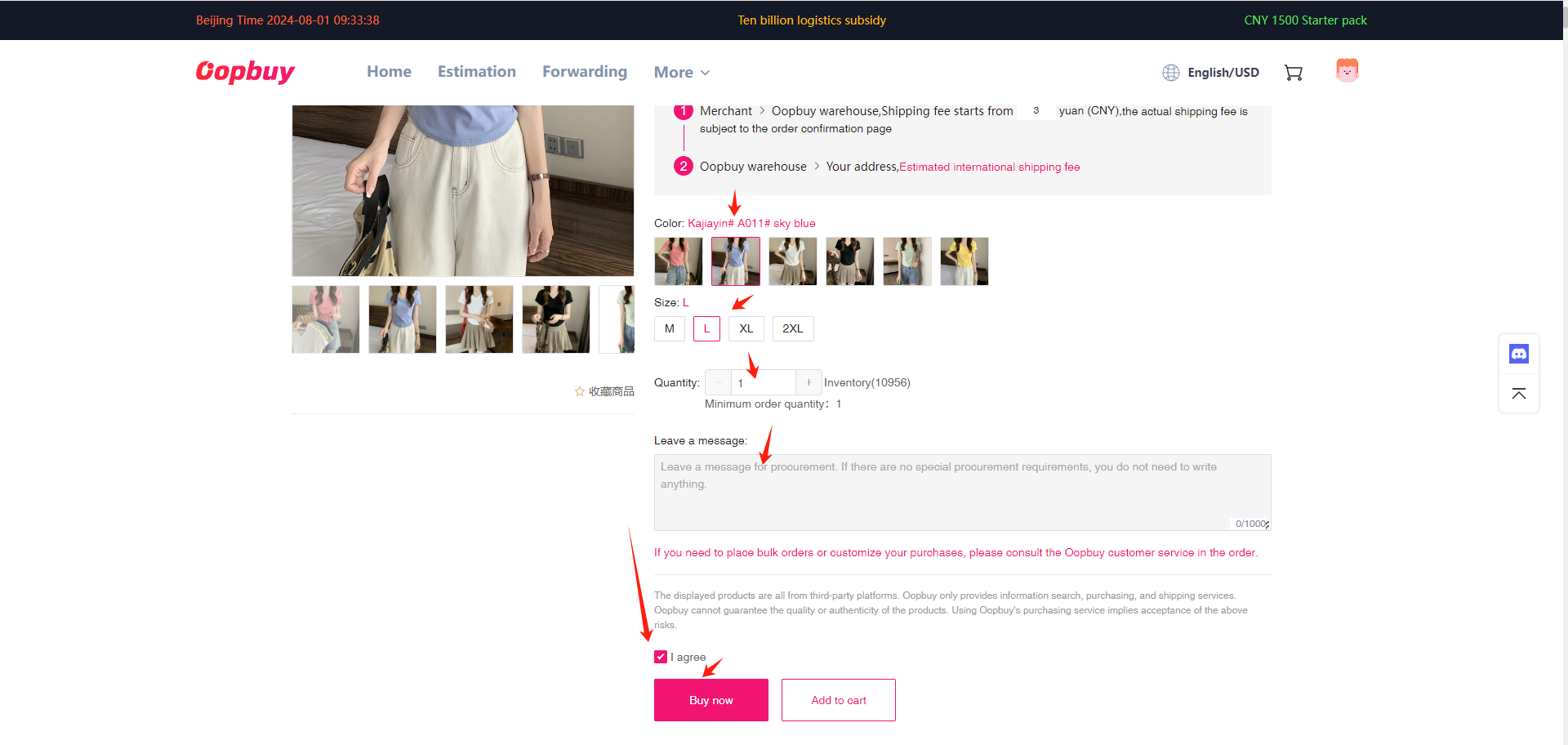
Confirm your variant
Choose the size, colour and quantity. Read the seller description before adding to your cart.
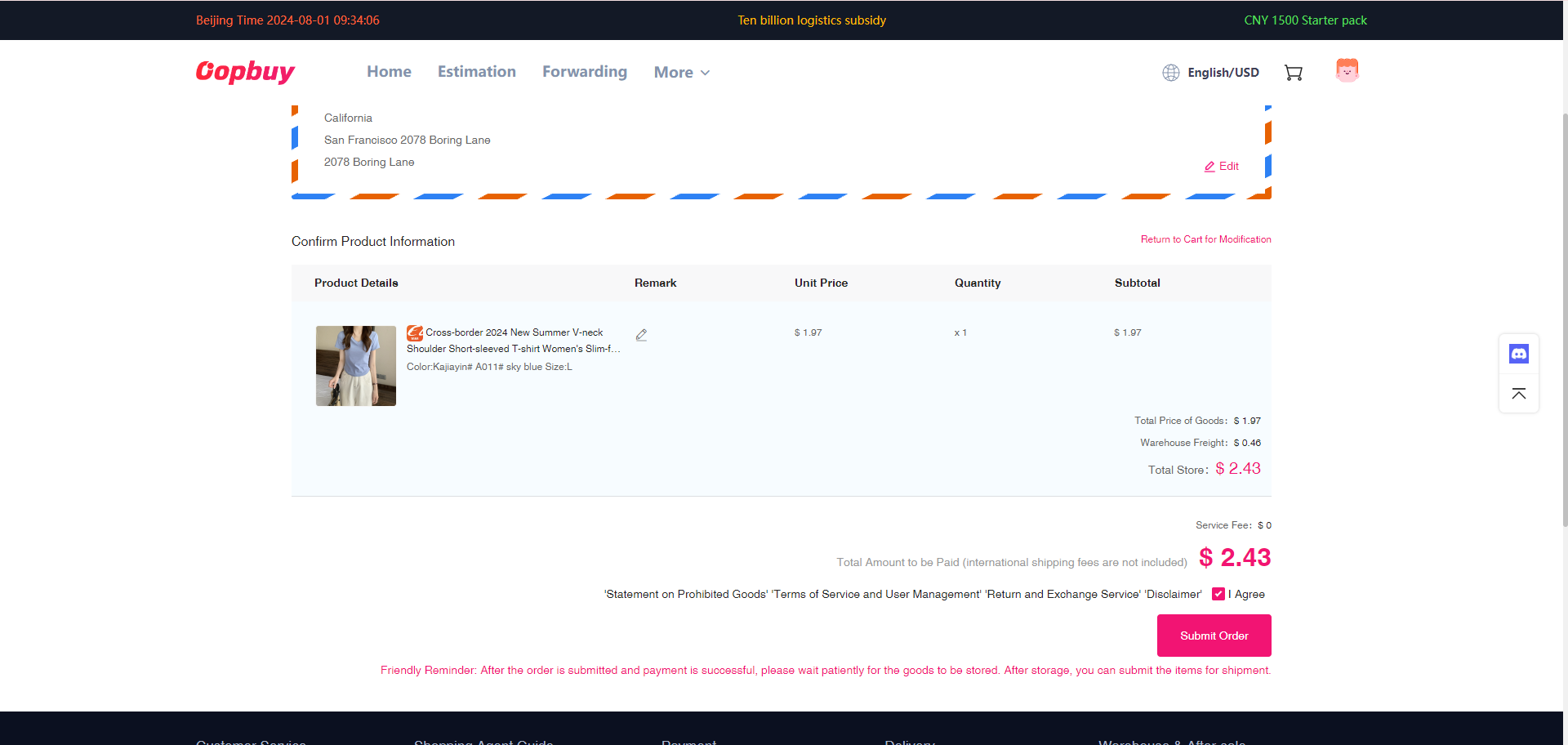
Pay for the goods
Check the product fee and domestic shipping. International shipping is paid separately.
Wait for warehouse arrival
Track the purchase in your order list until the item is received and stocked.
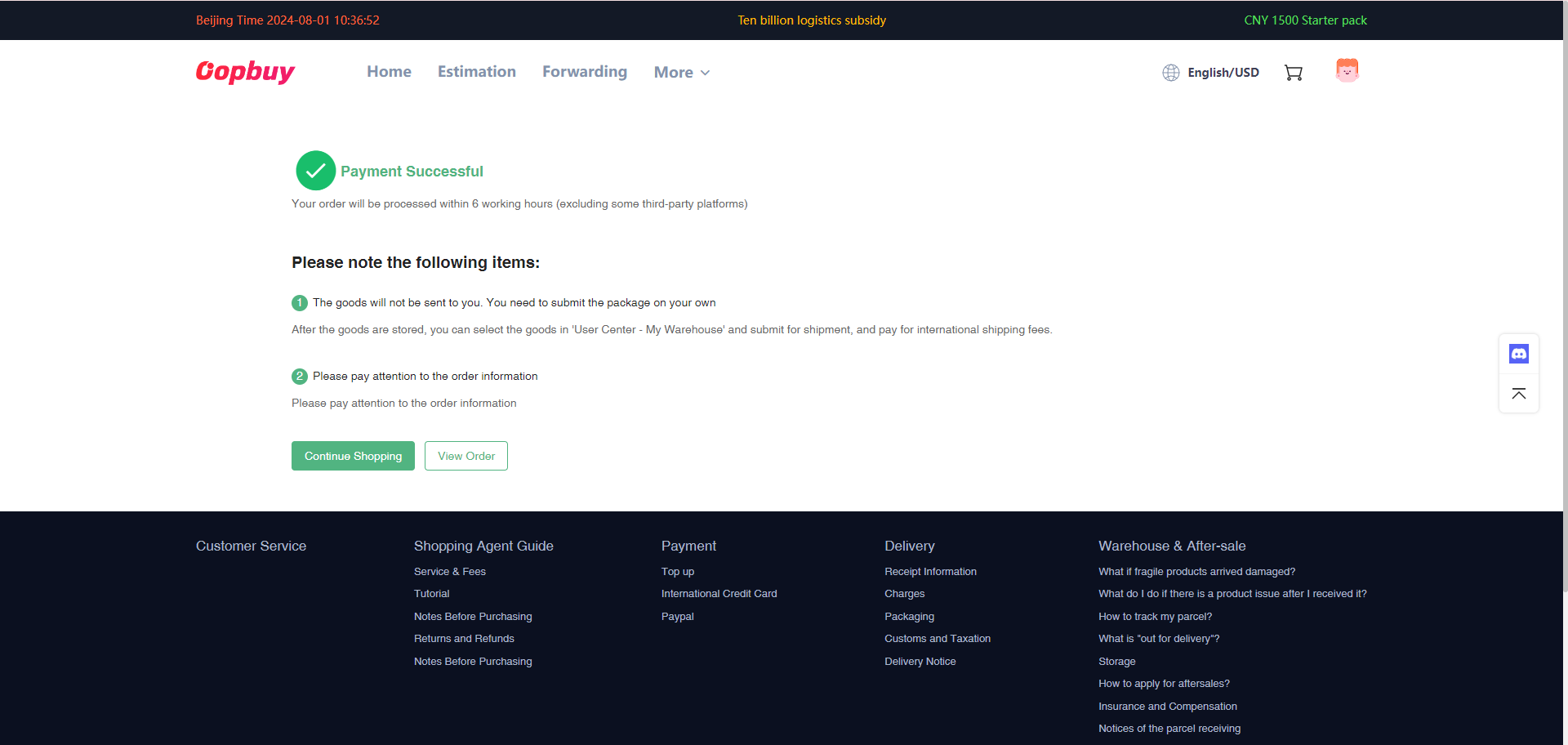
Review your QC
Open the warehouse photos. Check the variant and visible condition; contact support about issues before shipping.
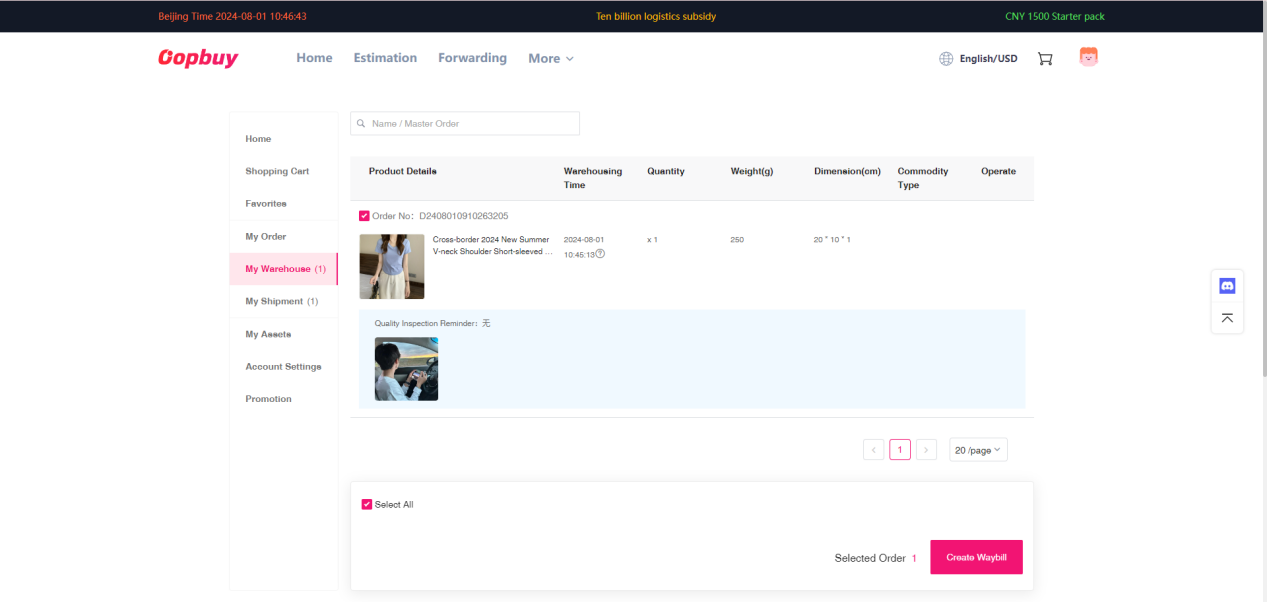
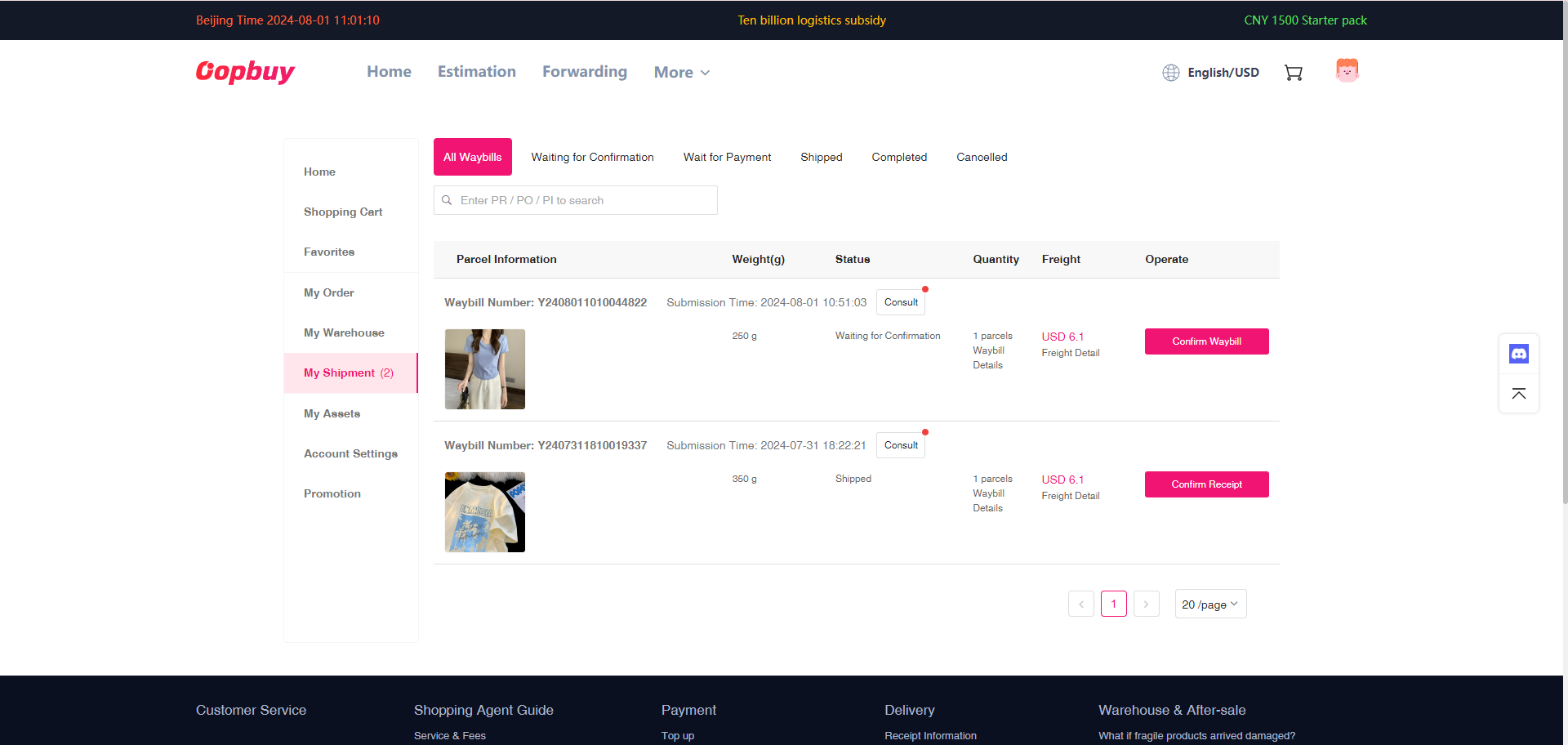
Submit your parcel
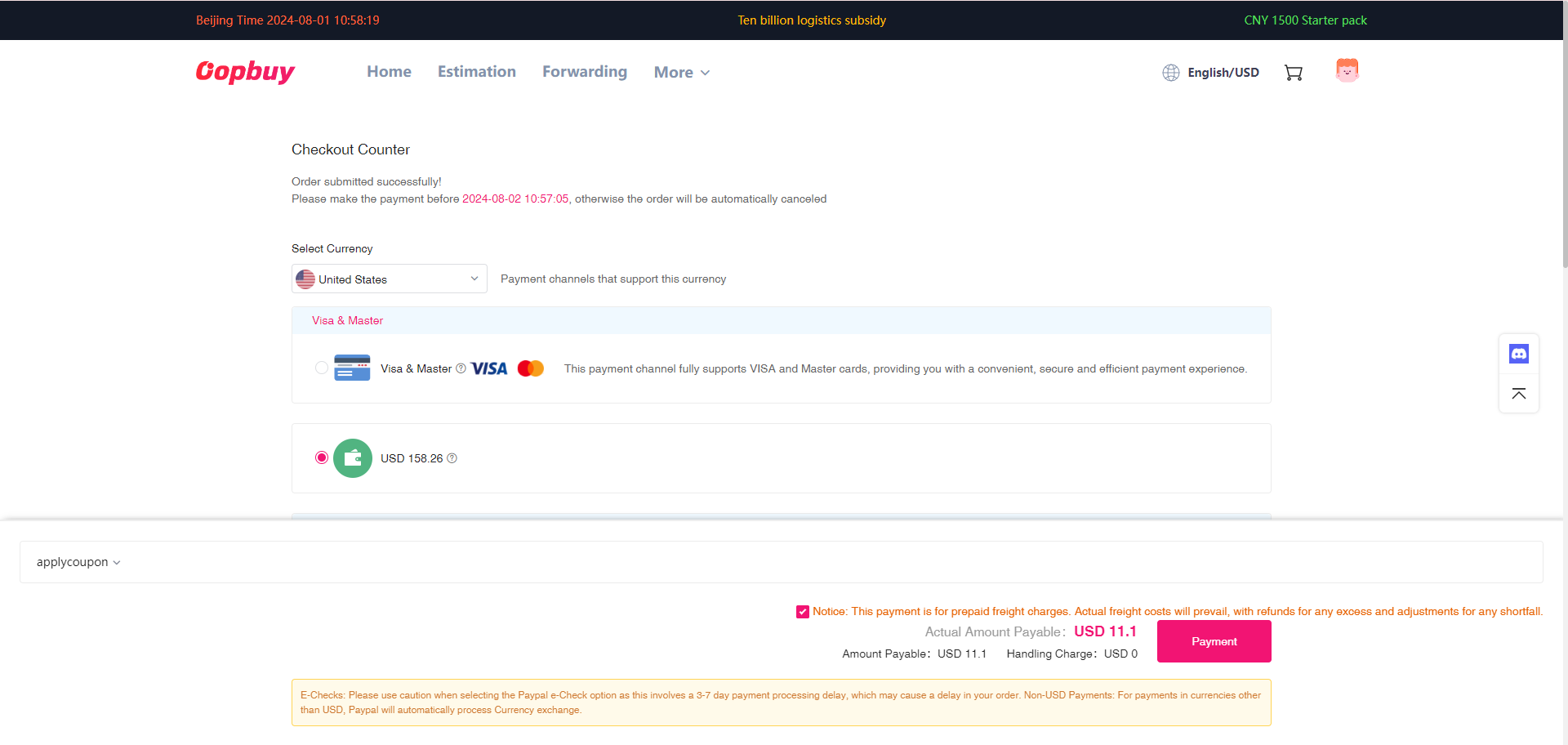
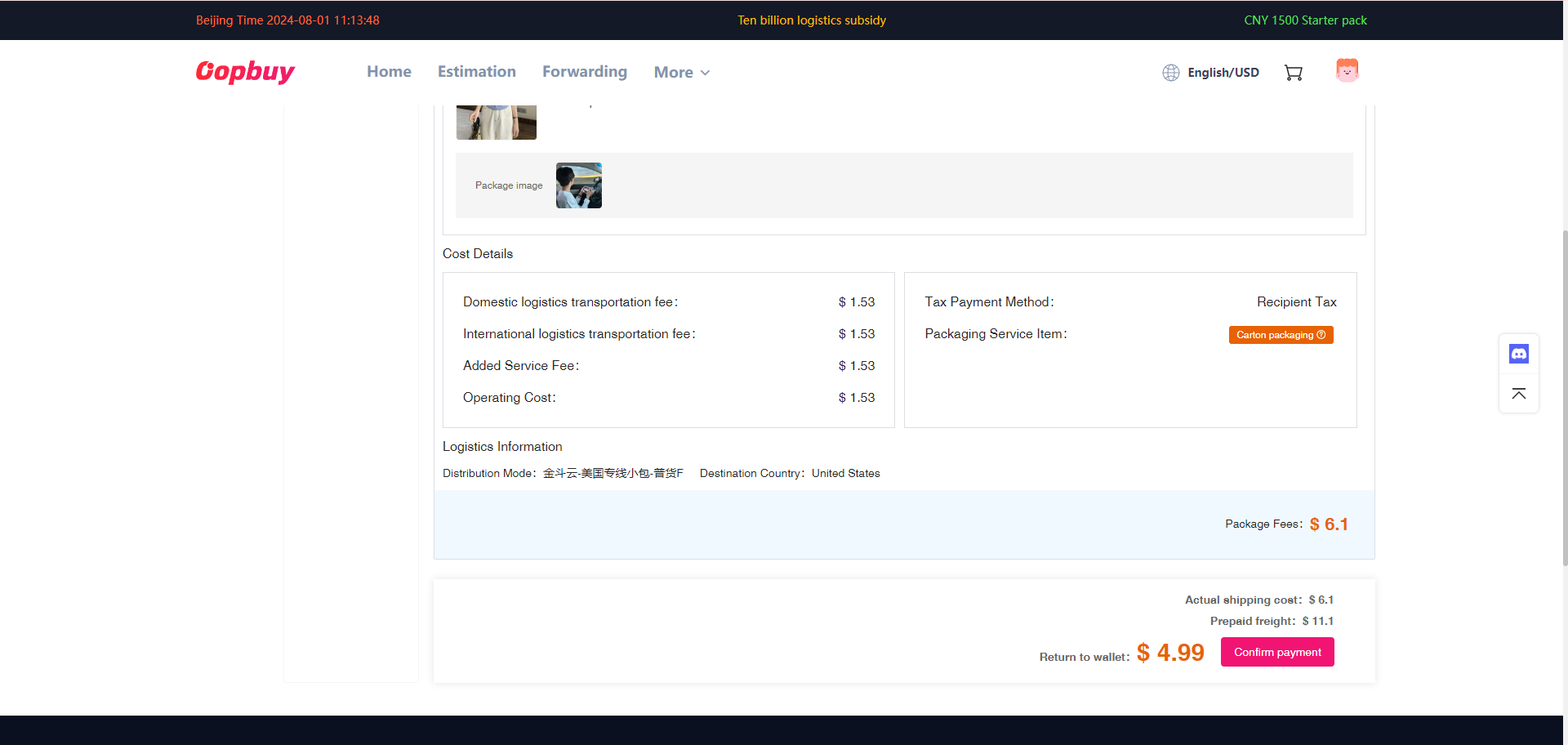
Select stored items, confirm your address, and compare shipping and packaging options.
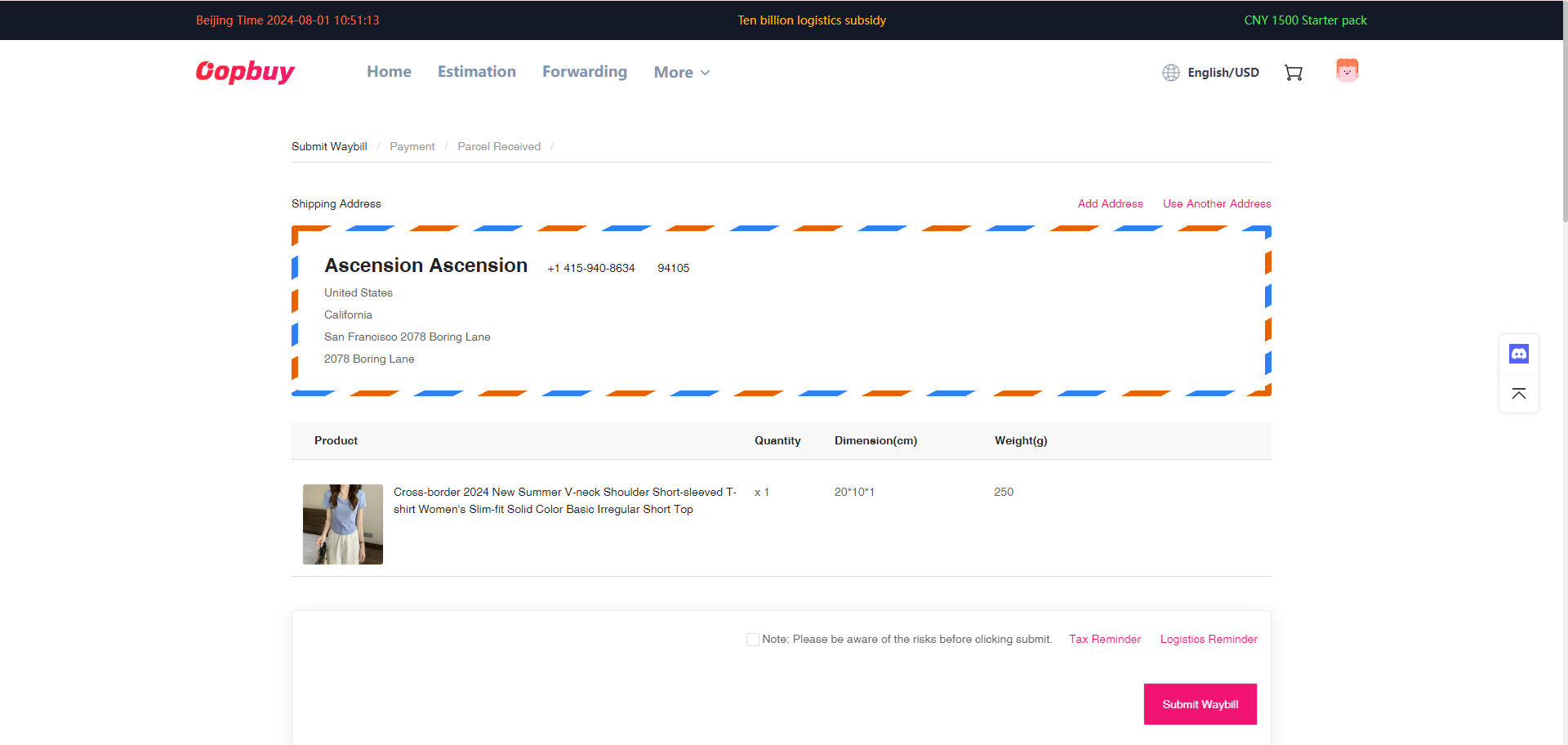
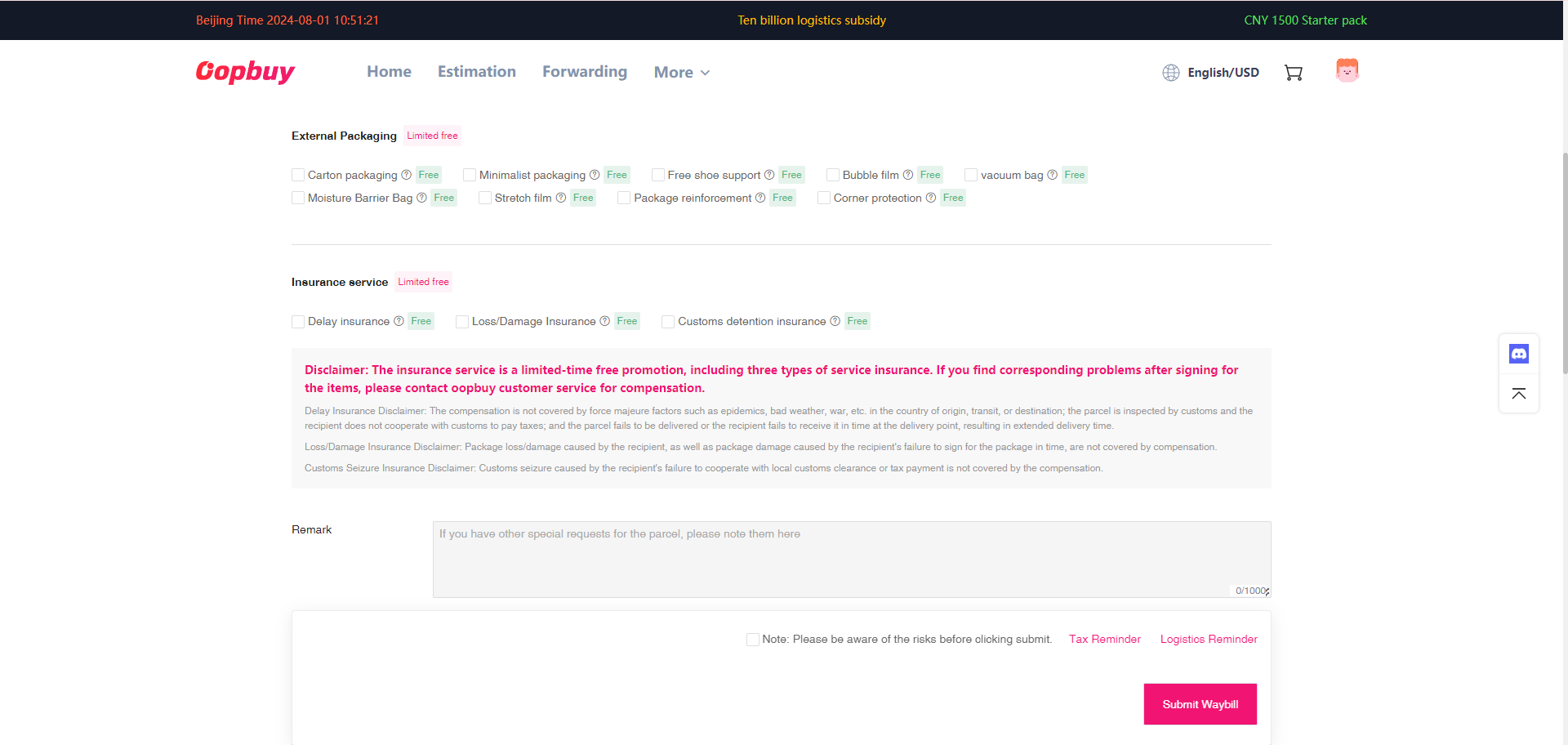
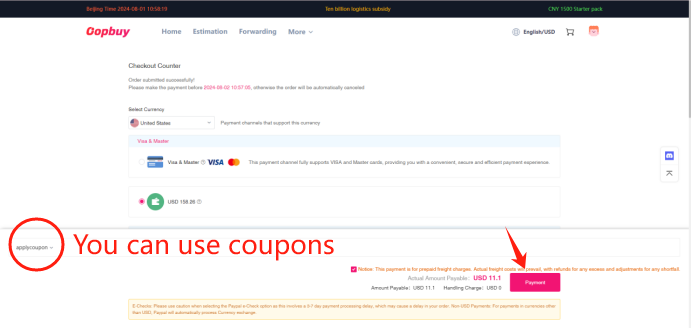
Pay shipping and track
Pay the freight shown in your account. Review any adjustment, then follow the tracking updates.
Before you ship
Check the details that matter.
These photos belong to this source listing. Confirm the exact variant and your own warehouse QC before shipping.
Read the buying guide ↗Checklist progress 0 / 3
Frequently asked questions
Oopbuy QC Guide FAQ
Practical answers for browsing this spreadsheet, comparing photos and planning your Oopbuy order.
01 / 03
Browsing & prices
Find the right listing and understand the price you see.
01
Is Oopbuy QC Guide an official Oopbuy website?
No. oopbuyqcguide.com is an independent product directory and buying guide. We help you browse listings and understand the process; we do not sell, inspect or ship your order. Account registration, payment, order support and parcel handling take place on Oopbuy. Some outbound links are affiliate links.
02
Where do the products in this spreadsheet come from?
Listings, source prices and the lower photo galleries are read from kakobuymake.com. The ten categories follow that source catalogue. The 12 homepage finds are a curated selection, not the entire collection. Open All finds or a category page to browse more products and their individual detail pages.
03
How do I find and compare products on this site?
Open a category or All finds, enter a keyword and review the results. With no search active, use newest, price or most-viewed sorting; desktop users can also change the number of columns. Open a detail page to compare the original title, Weidian ID and photos before continuing to Oopbuy.
04
Why can the displayed price differ from Oopbuy checkout?
We show the source item price, with optional reference-rate currency conversion. It is not a delivered-price quote. Seller variants, stock changes, domestic delivery, international freight, taxes and other charges can affect checkout. If conversion is unavailable, prices stay in USD. Confirm the exact item and final charges on Oopbuy.
02 / 03
Photos & quality checks
Understand the images before making a purchase decision.
05
What is the difference between the top carousel and the lower gallery?
The top carousel loads seller listing photos from the matching Weidian item when available. The lower gallery contains the photos attached to the main-site source listing, which may include reference QC. These are separate collections. Neither collection is the QC record for an order you have just placed.
06
Why does a product show only one photo or no QC pictures?
A seller gallery may be unavailable, so the page keeps the source cover and labels that fallback. The source listing may also have no additional QC photos. We do not fill the gap with another product’s images. Check the seller description and request the photos you need through your own Oopbuy order.
07
Do photos here guarantee authenticity, fit or product quality?
No. Seller photos and reference QC help you compare visible details; they cannot authenticate an item, guarantee how a size will fit, or confirm every part of a future delivery. Read the seller’s description and measurements, choose the exact variant, and review the QC photos for your own warehouse item.
08
What should I check in my own warehouse QC?
Match the item, colour, size label and quantity to your paid order. Check the visible shape, stitching, marks and any requested measurements across several angles. If a detail is unclear or a photo is obstructed, ask Oopbuy for clarification or a close-up before approving overseas shipment. Do not guess what is hidden.
03 / 03
Ordering & shipping
Know what happens from checkout to your parcel.
09
How do I buy a find through this website?
Choose a product in the directory, read its internal detail page, then select Open on Oopbuy. Confirm the Weidian ID and choose your size, colour and quantity there. Use the Register link if you need an account. All purchases and payments are completed on Oopbuy, not on this directory.
10
What happens after I pay for the product?
Oopbuy arranges the purchase from the seller, and the goods travel to its warehouse in China. Follow the progress in your order account. After receipt and inspection, review your own warehouse photos and resolve any issues before submitting a parcel. Seller dispatch and warehouse processing times can vary.
11
How should I plan shipping to Europe or North America?
Enter your real destination and compare the lines currently available in your Oopbuy account. Check permitted item types, parcel weight and dimensions, estimated transit time, packaging and any insurance terms. International freight is paid separately from the goods. Confirm destination charges and any freight adjustment before paying; no line guarantees delivery or customs clearance.
12
What if the wrong item arrives or I need a return?
Before international shipment, contact Oopbuy through the affected order with the order number, the selected variant and clear photos of the problem. Ask about the available return or exchange process and its deadlines. Eligibility, costs and approval depend on the seller and current platform rules; this directory cannot approve refunds.